Introduction
GitHub has transformed software development with its powerful AI assistant – GitHub Copilot. Designed to act as a “pair programmer,” GitHub Copilot, a code AI, helps developers write code faster, reduce errors, and improve productivity.
In this GitHub review, we’ll explore everything about GitHub Copilot AI coding, performance, features, pros & cons, and most importantly – GitHub Copilot pricing and the GitHub Copilot free plan.
GitHub Copilot?
GitHub Copilot is an AI-powered coding assistant developed by GitHub in collaboration with AI research models from companies like OpenAI and others. It integrates directly with popular IDEs such as Visual Studio Code, JetBrains, and Visual Studio.
It uses machine learning to:
- Suggest entire lines or blocks of code
- Auto-complete functions
- Generate code from natural language prompts
- Assist in debugging and refactoring
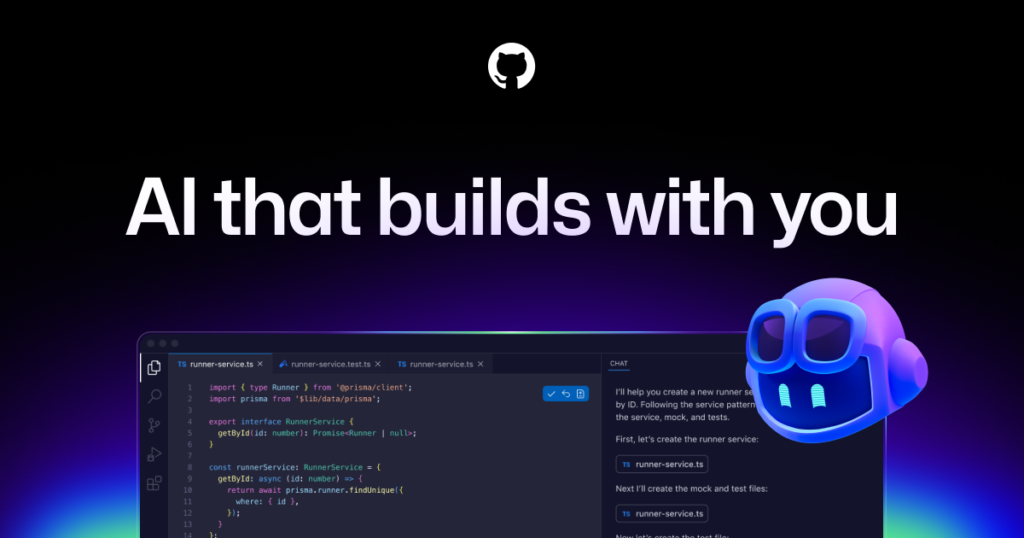
GitHub Copilot AI coding turns your comments into working code.
Key Features of GitHub Copilot Code AI
1. Intelligent Code Completion
GitHub Copilot predicts your next line of code in real time. It supports multiple languages
- Python
- Java
- JavaScript
- C++
- Go
2. AI Chat Assistant
Copilot Chat helps developers
- Explain code
- Generate documentation
- Debug errors
- Suggest improvements
3. Multi-Model AI Support
GitHub Copilot uses advanced AI models from providers OpenAI, Google, and Anthropic for better coding suggestions.
4. Cross-Platform Integration
Works seamlessly with:
- VS Code
- Visual Studio
- Neovim
- JetBrains IDEs
5. Code Generation from Comments
Just write:
// create login system with validationCopilot generates the entire logic.
GitHub Copilot Free Plan (2026)
One of the biggest updates is the GitHub Copilot free plan, which allows developers to try AI coding without paying.
What You Get in GitHub Copilot Free:
- 2,000 code completions per month
- 50 chat or AI requests per month
- Access to selected AI models
- Basic AI coding assistance
This plan is ideal for beginners and occasional developers.
However, it has limitations in usage and advanced features.
Also Read: HubSpot AI – Intelligent CRM & Growth Platform Review 2026 | RankMySoft
GitHub Copilot Pricing (2026)
Let’s break down the GitHub Copilot pricing structure clearly:
Individual Plans
| Plan | Price | Best For |
|---|---|---|
| Free | $0/month | Beginners |
| Pro | $10/month or $100/year | Regular developers |
| Pro+ | $39/month | Power users |
Details:
Free GitHub Copilot
- Limited usage
- Ideal for testing AI coding
GitHub Copilot Pro
- Unlimited code completions
- Access to premium AI models
- 300 premium AI requests/month
- Free for students & educators (eligible users)
GitHub Copilot Pro+
- 1,500 premium requests/month
- Access to all advanced AI models
- Best for heavy AI usage
Business & Enterprise Pricing
| Plan | Price |
|---|---|
| Business | $19/user/month |
| Enterprise | $39/user/month |
These plans include:
- Team management
- Security features
- Policy controls
- Organization-wide AI coding
Performance & Real-World Use
GitHub Copilot significantly boosts developer productivity:
- Faster coding (up to ~50% improvement reported)
- Reduced repetitive tasks
- Helps beginners learn faster
It works best for:
- Web development
- API building
- Automation scripts
Pros and Cons
✅ Pros
- Powerful AI coding assistant
- Supports multiple programming languages
- Easy integration with IDEs
- GitHub Copilot’s free option is available
- Saves time and increases efficiency
❌ Cons
- Limited usage in the free plan
- Sometimes generates incorrect code
- Requires an internet connection
- Premium plans can be costly for beginners
GitHub Copilot vs Other AI Coding Tools
Compared to tools like ChatGPT, Tabnine, and CodeWhisperer:
- GitHub Copilot excels in real-time coding suggestions
- Better IDE integration
- More advanced multi-model AI support
However:
- ChatGPT is better for explanations
- Some alternatives offer cheaper pricing
Community Feedback (Real User Insights)
From Reddit discussions:
“Rate limits feel restrictive for heavy users”
“Free plan is good, but completions run out quickly”
👉 This shows that while GitHub Copilot code AI is powerful, usage limits are a concern for heavy developers.
Who Should Use GitHub Copilot?
Best for:
- Developers & programmers
- Students learning coding
- Freelancers
- Software teams
Not ideal for:
- Non-coders
- Very low-budget users needing unlimited access
Final Verdict
Yes – GitHub Copilot is one of the best AI coding tools in 2026.
- The GitHub Copilot free plan is great for beginners
- The Pro plan ($10/month) offers the best value
- Advanced users should consider Pro+ or Business plans
If you want faster coding, better productivity, and AI-powered development, GitHub Copilot AI coding is absolutely worth trying.